
 Deutsch
 English
In 007: First Light you experience James Bond's rise to a Double-0 Agent – from his first covert operations to international missions where a single mistake can quickly be fatal. Sometimes you sneak silently through heavily guarded facilities, sometimes the situation escalates within seconds into explosive firefights with everything the arsenal has to offer.
For many, a Bond game has a completely different significance: GoldenEye 007 on the N64 set the standard back then – and is still legendary today, not least because of its active speedrun scene. Whether First Light will reach a similar cult status remains to be seen – but technically it is already playing in a completely different league.
The mix of cinematic presentation, dense environments and fast-paced action sequences demands more from your PC than one might initially expect. Especially at high details and resolutions, performance can quickly falter.
So that you can experience every mission smoothly and without technical stumbling blocks, we show you the right systems for different resolutions – from a solid entry-level to a uncompromising high-end solution.
Our PC Recommendations for the Different Requirement Categories of 007: First Light
Smooth Gaming Without High-End
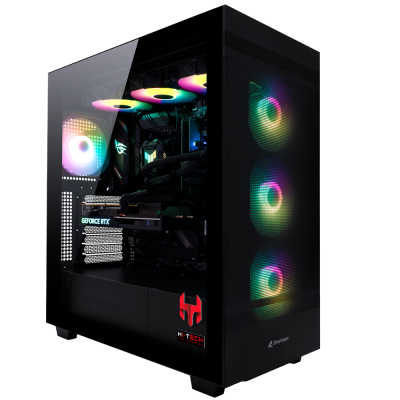
- Stable 60 FPS
- High to very high details
- Perfect for beginners
The Sweet Spot
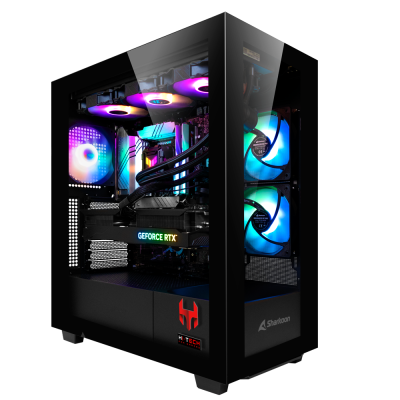
- High details in 1440p
- Stable and smooth experience
- Optimal mix of performance and price
Maximum Graphics, Maximum Performance
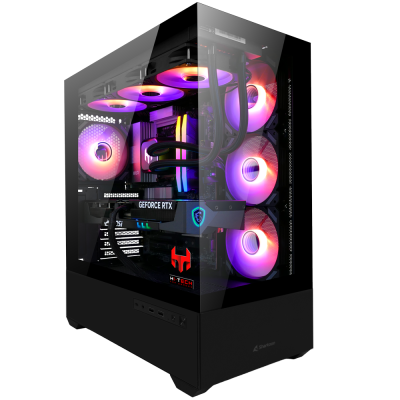
- Maximum details & resolution
- Raytracing ready
- For uncompromising gamers
FHD (1080p)
If you play 007: First Light in Full HD, you don't need an absolute high-end system yet – but you shouldn't underestimate the game either. Especially in action-packed missions with lots of effects and fast scene changes, performance can quickly break down.
For stable 60 FPS on high to very high settings, a solid combination of CPU and GPU is therefore essential – especially if you don't want to see any stutters in later game sections.
WQHD (1440p)
In 1440p, 007: First Light really shows what it's technically capable of. The environments look much sharper, effects come into their own better and the cinematic presentation unfolds its full effect. At the same time, the load on the hardware increases noticeably – especially on the graphics card.
For stable FPS in WQHD you therefore need a significantly stronger GPU than in Full HD. Especially in action-packed sequences or with active raytracing, performance can quickly break down.
UHD / 4K Maximum Graphics
In 4K, 007: First Light finally becomes a visual power demonstration. Every light source, every reflection and every detail comes fully into its own here – exactly as one would expect from a modern Bond title. At the same time, this is also the most demanding way to experience the game.
Without strong hardware, stable FPS in UHD are hardly possible – especially not if you use high to maximum settings or even activate raytracing. This is where mid-range clearly separates from real high-end.
If you have any questions about suitable PC builds, our support team is always happy to hear from you.
Community Questions about 007: First Light
Due to the cinematic presentation and the many details in the environments, the main load is clearly on the graphics card. Especially in action-packed scenes with explosions, effects and lighting, the GPU quickly breaks a sweat. However, the CPU also plays a role – especially in larger areas with many NPCs and physics calculations.
Stable 60 FPS are completely sufficient for a smooth gaming experience – especially because 007: First Light focuses heavily on story and presentation. If you value particularly smooth movements or play with a high-refresh-rate monitor, you can also aim for 100+ FPS, but it is not necessary.
Raytracing can significantly enhance the atmosphere – especially with light, reflections and interiors. At the same time, it costs noticeable performance. If you want maximum graphics, it is worth it – for stable FPS it is often advisable to reduce at least individual RT options.
Yes, definitely. Especially in higher resolutions like WQHD or 4K, upscaling can make a big difference. With DLSS or FSR you get significantly more FPS without the image quality suffering much – ideal for experiencing the game smoothly and visually impressive at the same time.
Requirements for GPU and CPU
Technically, 007: First Light relies heavily on dense environments, dynamic lighting and many effects at the same time – a combination that primarily challenges the graphics card. At the same time, larger level sections and AI-controlled enemies ensure that the CPU is not completely left out.
In practice, this means: While you can still move relatively relaxed in quieter stealth passages, action-packed sequences can quickly reduce performance – especially with high details and active raytracing. A balanced combination of a strong GPU and a solid CPU is the key here.
In order to load this functionality, please activate the "Functional" cookies.
Best Settings for More FPS
Even with strong hardware, it is worth keeping an eye on a few settings. Especially with 007: First Light, you can get noticeably more FPS with small adjustments without significantly deteriorating the visuals.
- Shadow Quality: One level lower often brings direct performance gains without it being very noticeable.
- Raytracing: Looks good but consumes a lot of performance. For stable FPS it is better to reduce or disable it selectively.
- Effects & Particles: A real FPS killer especially in action scenes – fine-tuning is worthwhile here.
- Lighting / Global Illumination: One of the biggest performance factors. Small reduction = noticeable gain.
Using Upscaling Sensibly (DLSS / FSR)
Especially in 1440p and 4K, upscaling is almost mandatory if you want to combine high details with stable FPS. DLSS or FSR deliver significantly more performance here without the image quality suffering much – perfect for a smooth gaming experience.
Currently Known Bugs & Performance Issues
Even though 007: First Light already makes a strong technical impression, like many modern releases it is not completely free of smaller problems – especially regarding performance and stability.
- FPS drops in action scenes: Especially with many effects, explosions or fast scene changes, performance can drop significantly for short periods.
- Irregular framedrops in larger areas: In open level sections or heavily populated areas, short stutters can occur – often independent of pure GPU performance.
- Raytracing problems: Sometimes strong performance losses or inconsistent FPS when RT is activated.
- Shader compilation stutters: Especially possible in the first few hours of play until all shaders are cleanly loaded.
Many of these problems are typical for new releases and are usually improved with patches in the first few weeks after launch. So it is worth checking for updates regularly.